A COB LED display may pass its basic operating tests but still show a cloudy or hazy surface before delivery. Under room lighting, some areas may look dull, while others appear brighter or more reflective. Even after the screen is turned off, uneven patches may remain visible.
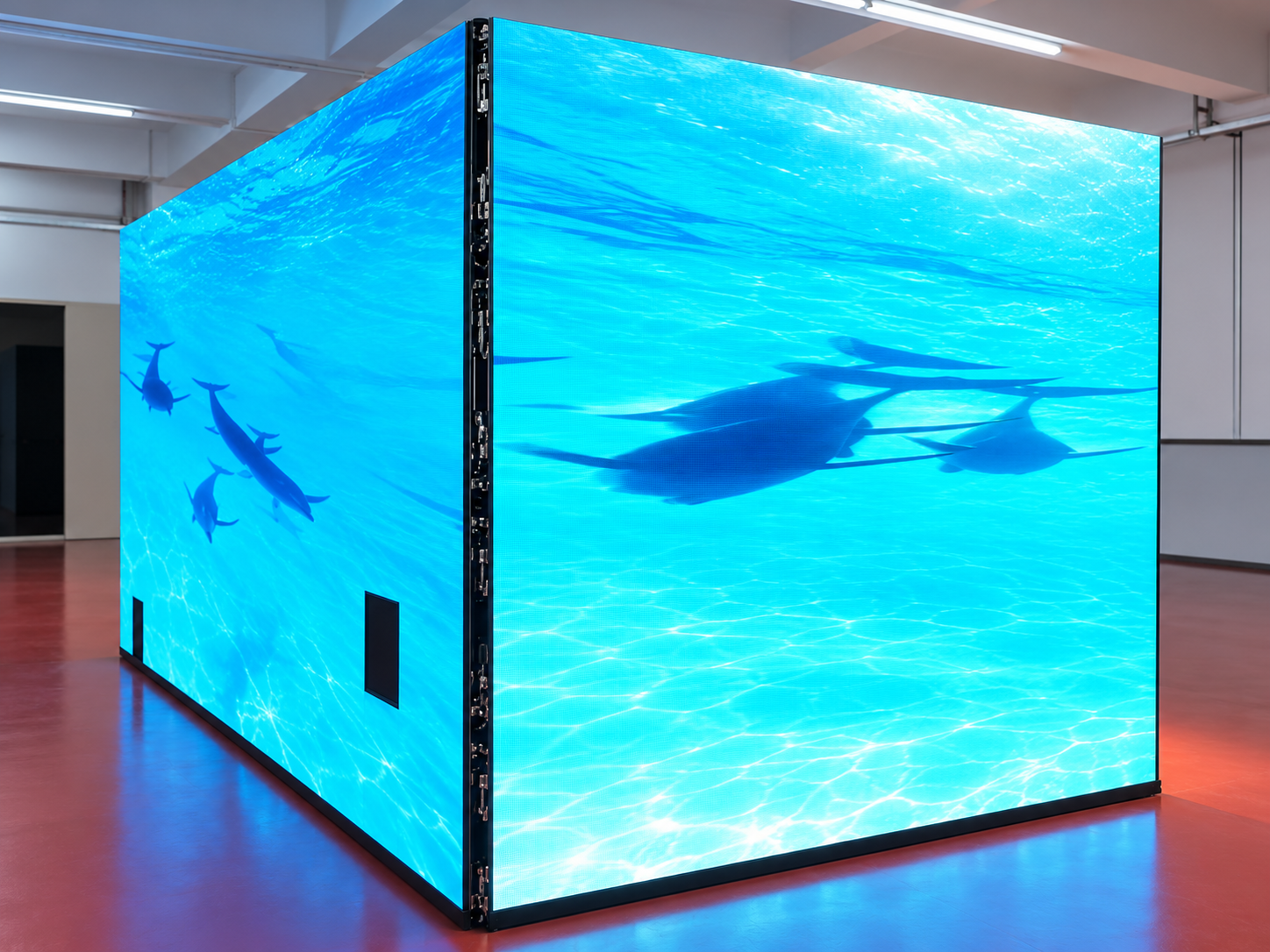
For a fine-pitch COB LED display, these details matter. Customers often view the screen from a short distance, especially in meeting rooms, control centers, showrooms, and other indoor environments. A small surface issue can become noticeable when the entire display is assembled.
Before handover, it is important to check not only image quality but also whether the cleaning method is compatible with the display's surface.
Surface haze can affect the overall appearance of a COB LED screen. It may reduce visual clarity, create uneven reflections, or make some modules look different from their neighbors.
The problem can become more serious after installation. Ceiling lights, windows, and spotlights may highlight areas that were difficult to see under factory lighting.
There is also a maintenance risk. If the haze comes from an unsuitable cleaning product or a damaged protective layer, repeated wiping may make the surface condition worse.
Finding the cause before handover helps avoid unnecessary cleaning, customer complaints, and delays during final acceptance.
Not all surface haze comes from the same source. Common causes include dust, fingerprints, cleaning residue, and differences in how the surface reflects light.
Some cleaning agents may leave a thin film after drying. Certain solvents or strong chemical products may also be incompatible with the display's encapsulation or protective coating.
Cleaning tools matter, too. Rough cloths, excessive pressure, or repeated dry wiping can leave marks or cause surface damage.
It is therefore important to distinguish removable contamination from changes in the surface itself. A cloudy appearance should not automatically be treated as dirt.
Start by checking the manufacturer's cleaning instructions. Do not assume that a product suitable for glass, a phone screen, or a conventional LED display is also suitable for a COB surface.
Follow these practical steps:
Power off the display. Allow it to reach a suitable condition for inspection and cleaning according to the manufacturer's instructions.
Remove loose dust carefully. Use a clean, soft, non-abrasive cloth or an approved cleaning tool.
Check the cleaning agent. Use only products approved for the specific surface material. Avoid unapproved alcohol, solvents, ammonia-based cleaners, and strong detergents.
Apply minimal moisture if permitted. Never spray liquid directly onto the LED display. Prevent moisture from entering module gaps, connectors, and other electrical areas.
Wipe gently. Avoid excessive pressure, circular scrubbing, or repeated rubbing over the same area.
Allow the surface to dry. Inspect it again before deciding whether further cleaning is necessary.
If the surface remains cloudy, stop and investigate instead of applying stronger chemicals.
A simple, repeatable inspection can help identify problems before the customer accepts the display.
First, inspect the screen under normal room lighting. Look for cloudy patches, streaks, fingerprints, and uneven reflections. Check the screen from the front and from different viewing angles.
Next, display several test images. White and light-gray backgrounds can reveal residue and surface marks, while black and dark-gray backgrounds help identify uneven reflections and differences between modules.
Then, clean a small, inconspicuous test area using the approved method. Allow it to dry completely and compare it with an untreated area under the same lighting conditions. Check whether the haze disappears, remains unchanged, or becomes more visible.
For reliable results, keep the lighting, viewing angle, and camera settings consistent. Record the findings with photographs if required by the handover process.
A successful cleaning test should leave the surface visually consistent, without new streaks, scratches, or obvious differences in reflection. If the result is uncertain, request technical guidance before cleaning the full screen.
COB LED display quality depends on more than the LED chips. The encapsulation layer, surface finish, module alignment, cabinet structure, and maintenance method all affect the final appearance.
Before delivery, inspect the assembled screen rather than checking isolated modules alone. A cleaning method that appears harmless on one small area may produce different results across a larger surface.
For replacement modules and spare parts, visual consistency is also important. Matching surface appearance helps maintain a uniform look after future maintenance.
Consider a fine-pitch COB display installed in a corporate meeting room. During the final inspection, technicians notice cloudy marks near the center of the screen.
Instead of wiping the entire display immediately, they check the area under normal room lighting and review the approved cleaning instructions. A small test area is cleaned with the recommended method and allowed to dry.
The team then compares the cleaned and untreated areas using the same lighting and test images. If the haze disappears without affecting the surface, the approved method can be used for the remaining affected areas. If it remains, further inspection is required.
This approach helps the installation team avoid unnecessary chemical use and complete handover with clearer inspection records.
Shenzhen Ai Display Technology Co., Ltd. provides LED display solutions for applications including commercial spaces, conferences, events, and customized installations. Its website highlights manufacturing processes, engineering support, installation accuracy, and after-sales service.
For COB LED display projects, clear maintenance instructions and consistent pre-delivery inspection are important parts of a reliable handover process. Buyers and project teams should confirm the appropriate cleaning method for the selected surface and include visual checks in the final acceptance procedure.
Learn more about LED display solutions at AILED Display.
Not unless the manufacturer has confirmed that the specific product and concentration are compatible with the surface. Some chemicals may damage protective materials or leave unwanted marks.
The haze may be caused by cleaning residue, surface reflection, coating damage, or differences in the encapsulation layer. Stop repeated cleaning and ask the supplier to help identify the cause.
No. Direct spraying may allow liquid to enter module gaps or electrical components. Follow the manufacturer's instructions and apply an approved product to the cleaning cloth only when permitted.
Check the fully assembled display under normal lighting and with several test images. The surface should look consistent from normal viewing positions, with no obvious residue, streaks, or cleaning-related damage.
Yes. Include surface appearance, cleaning compatibility, image uniformity, and documented inspection results in the final handover procedure. This makes acceptance clearer for both the supplier and the customer.
Copyright © 2025 by Shenzhen Ai Display Technology Co., Ltd - Privacy policy
 EN
EN
 Hot News