Waiting areas look simple, but they create an unusual problem for LED display positioning.
Some people are sitting on chairs. Others are standing in line, walking through the space, checking a phone, talking with someone, or approaching a service counter. Their eye levels are very different.
If a flexible LED display is positioned only for standing viewers, seated visitors may spend several minutes looking upward at an uncomfortable angle. If it is designed mainly for seated viewers, standing people may see the screen through other visitors’ heads or miss important content completely.
For this reason, the best screen position should not be based on one fixed eye level. It should be designed around a viewing band that covers both seated and standing users.
A common mistake is selecting a large empty wall first and deciding where the LED screen looks visually balanced.
Instead, begin by mapping how the waiting area is actually used.
Identify:
seating rows;
standing queues;
reception or service counters;
entrances and exits;
main walking paths;
typical viewing distances;
areas where people may block each other.
A person sitting in the first row may view the screen from a relatively low position, while someone standing several meters behind them sees it from a much higher angle.
The LED layout needs to work for both.
This becomes especially important in airport lounges, hospitals, banks, transport terminals, government service centers and corporate reception areas where people may remain in the same space for a long time.
Instead of designing around one imaginary horizontal sightline, mark two reference levels during planning.
The first represents the approximate eye position of a seated viewer.
The second represents the approximate eye position of a standing viewer.
The main information area of the LED display should fall inside the visual zone shared by these two groups as much as possible.
This does not mean every pixel needs to sit directly at eye level.
It means important information such as:
queue numbers;
directions;
appointment information;
short messages;
logos;
calls to action;
should not be placed only at the extreme top or bottom of the display.
Decorative animation can occupy less critical areas.
This simple content hierarchy can make a tall creative LED installation much easier to view.
A conventional flat LED wall faces one direction.
A flexible LED display gives the designer more control over the viewing geometry.
For example, a waiting area may have seating spread across a wide angle instead of directly facing one wall.
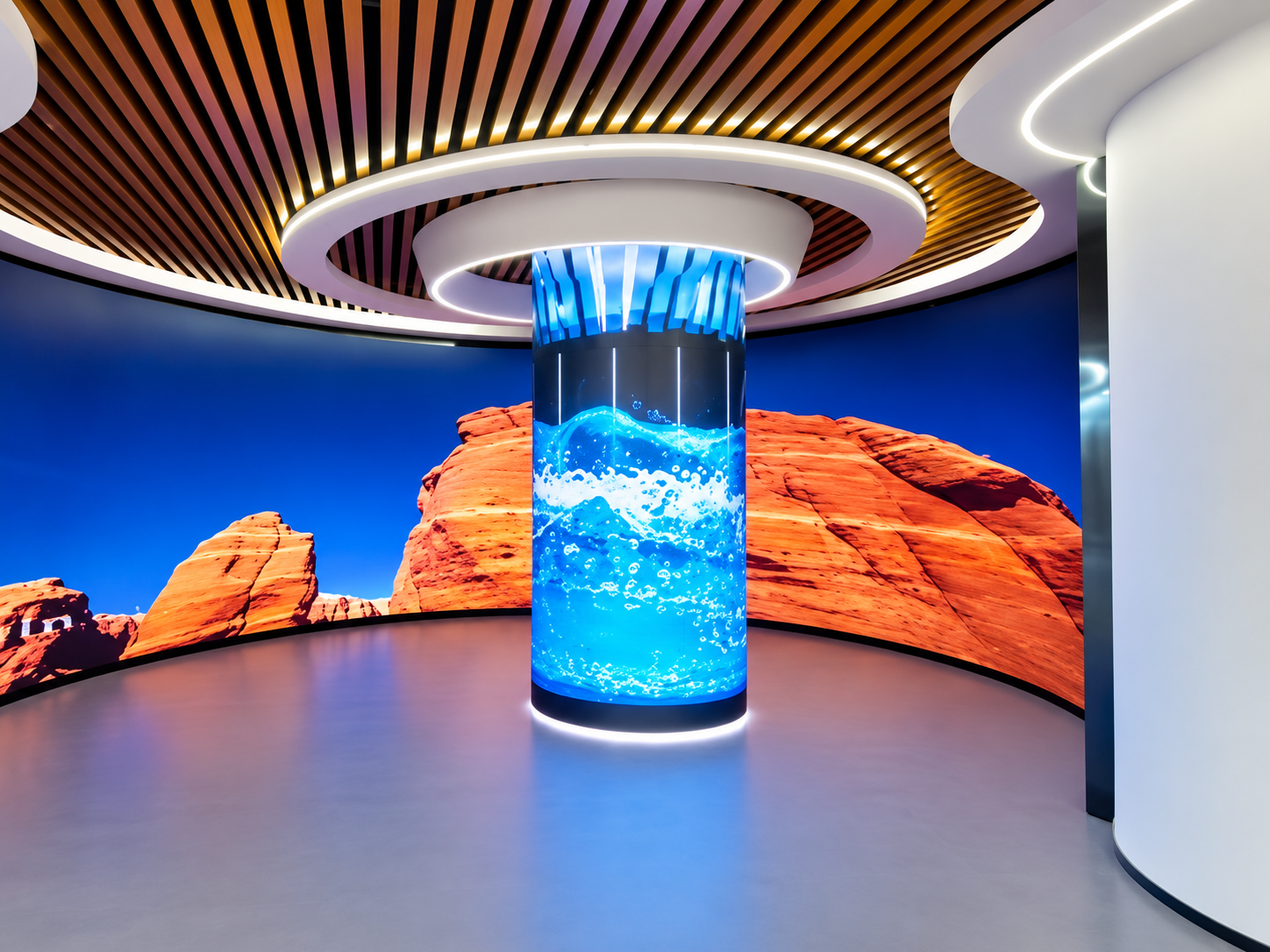
Rather than using a completely flat screen, the LED surface can form a gentle concave curve toward the audience.
This can improve visibility from seats located toward the sides.
Flexible LED modules can also follow:
curved walls;
rounded corners;
columns;
recessed architectural features;
wave-shaped surfaces.
However, adding curvature should solve a viewing problem rather than simply make the installation look unusual.
Too much curvature can turn one large display into several different viewing zones. A person on one side may then see only part of the content.
Waiting-area screens are often installed higher because designers want to keep them above furniture and people.
This works for short information checks, but it can become uncomfortable when visitors sit in the area for 10, 20 or 30 minutes.
The problem becomes more obvious with large LED walls.
A seated visitor may need to continuously raise their head to watch the center of the screen.
Instead of automatically moving the entire screen upward, consider using a taller display with its main content positioned closer to the shared seated-standing viewing zone.
The upper section can carry large graphics or ambient visuals, while detailed information stays closer to the normal sightline.
Another problem appears when queues form between the seating area and the LED display.
Even a perfectly positioned screen becomes ineffective if standing visitors create a visual wall in front of seated viewers.
Before installation, draw sightlines from several seating positions toward the proposed LED surface.
Then add the expected standing or queue zones.
If these lines overlap heavily, possible solutions include:
raising only the critical information zone;
shifting the display sideways;
extending a curved screen around a corner;
separating information and decorative content;
changing the seating or queue arrangement.
The screen and furniture layout should therefore be planned together.
Waiting areas often contain several viewing distances.
Someone walking beside the display may pass very close to it, while a seated visitor may watch from several meters away.
For this reason, pixel pitch should not be selected only from the average distance.
Check the closest realistic viewing position, especially when the screen displays text, numbers or detailed graphics.
There is also little benefit in automatically choosing the smallest available pixel pitch if the content is simple and most viewers are farther away.
Screen size, content type, viewing distance and budget should be evaluated together.
A useful acceptance test is surprisingly simple.
Place the planned content on the display or a full-size visual reference.
Then inspect it from:
a normal seated position;
a normal standing position;
the left side of the waiting area;
the right side;
the main entrance;
the back of the queue.
Do not test only with promotional video.
Use the actual type of content the screen will display.
Check small text, queue numbers, faces, logos and directional graphics.
If important information disappears, becomes distorted by curvature, or requires an uncomfortable head angle, the screen position or content layout should be adjusted before handover.
Imagine a service center with three rows of seats facing a slightly curved wall.
People waiting for appointments remain seated, while new visitors stand near the entrance and service counters.
Instead of installing a flat rectangular screen high above the seating area, the project uses a gently curved flexible LED display integrated into the wall.
The center section carries queue numbers and service information.
Large branding and slow-moving visual content extend toward the upper and side areas.
The curve opens slightly toward the seating zone so people near both ends of the room can see the main content without turning sharply.
During factory and site testing, technicians check the screen from seated and standing positions rather than viewing it only straight ahead.
The result is a display designed around how people actually use the room.
Neither should be used alone. The main content should be positioned within a practical viewing band that works for both groups.
Not automatically. A gentle curve can improve visibility across a wide waiting area, but the radius should match the actual viewer positions.
Yes. Flexible LED modules are suitable for curved and other non-flat surfaces when the supporting structure is designed for the required radius.
Test actual content from seated, standing, side and entrance positions. Also check whether queues, furniture or other visitors can block important parts of the screen.
A waiting-area LED project should not begin with the question, “How high should we hang the screen?”
It should begin with: Where will people sit, stand, walk and look?
AILED provides flexible LED displays and customized creative LED display solutions for curved walls, columns, irregular structures and other architectural applications.
For projects with unusual viewing directions or limited installation space, the screen shape, module arrangement, supporting structure, pixel pitch, maintenance method and control system can be planned around the actual environment.
When planning a waiting-area project, provide the floor plan, seating layout, viewing distance and installation dimensions before production.
The best flexible LED display is not simply visible from the room. It remains comfortable and readable whether the viewer is sitting down, standing up or moving through the space.
 Hot News
2026-09-16
2026-09-15
2026-09-14
Copyright © 2025 by Shenzhen Ai Display Technology Co., Ltd - Privacy policy
 EN
EN