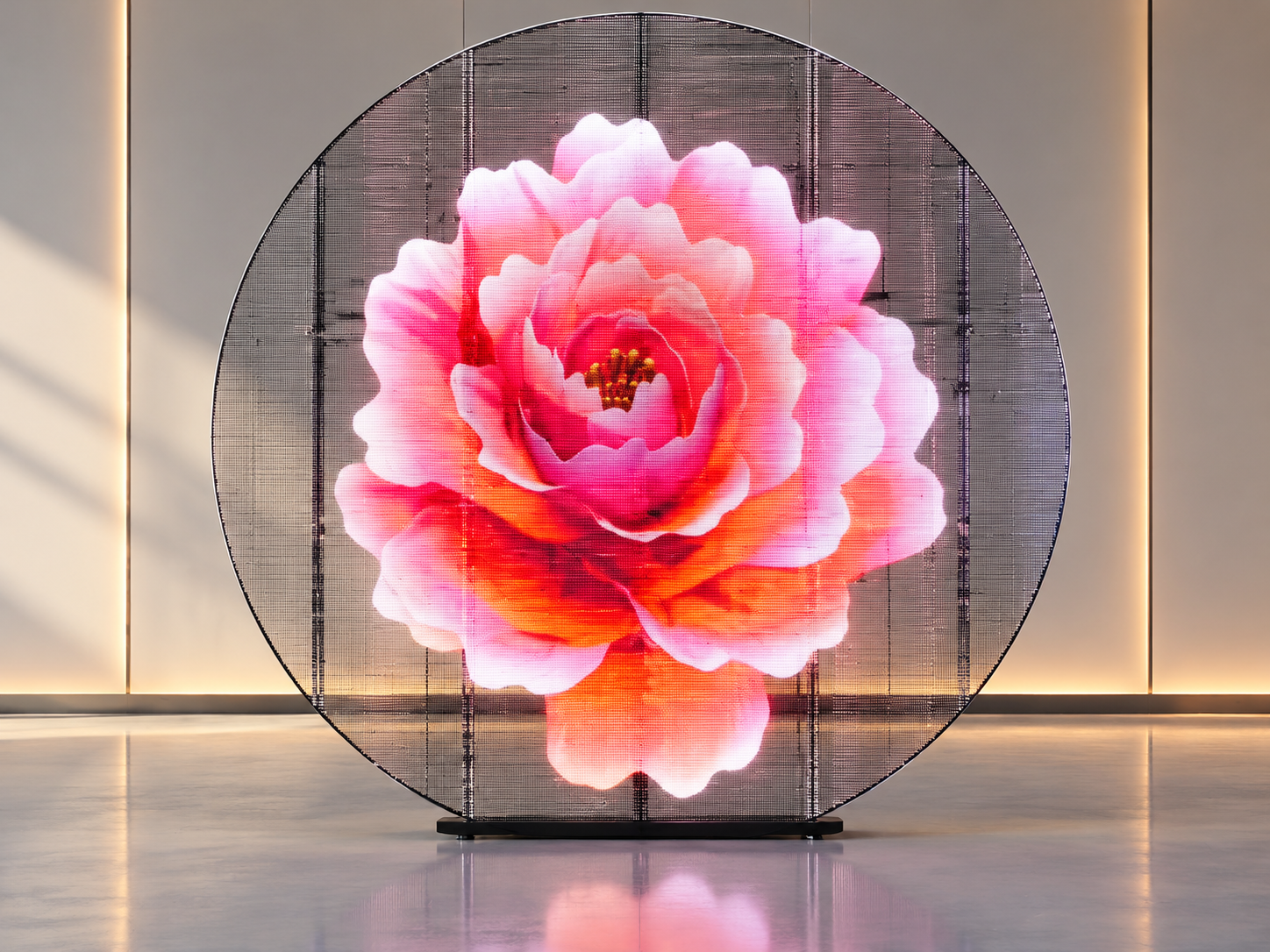
Transparent LED Display film allows retailers to display digital content on glass while keeping much of the window open to natural light. It is useful for shop windows, shopping malls, showrooms, and commercial glass walls.
However, a transparent LED film display that looks bright in a showroom may appear weak when installed behind a storefront window. Direct sunlight, reflections from nearby buildings, and bright objects behind the glass can reduce the visibility of the content.
The main question is not simply whether the screen can produce enough brightness. It is whether customers can clearly recognize the advertisement from the actual viewing positions outside the store.
A daylight readability test helps confirm this before final installation.
When content is difficult to see, customers may notice the glass but miss the message. Product images lose impact, promotional text becomes harder to read, and brand colors may look different under strong ambient light.
This problem can also lead to unnecessary operating costs. Increasing brightness without testing the environment may consume more power without fully solving reflections or poor contrast.
For retailers, the goal is to achieve a clear image while preserving the transparency that makes LED film attractive in the first place.
Several factors can affect transparent LED film readability.
Direct sunlight: Strong sunlight increases the amount of light surrounding the display, making the image appear less prominent.
Glass reflections: Reflections from the sky, vehicles, and nearby buildings can compete with the displayed content.
Low contrast: Thin fonts, similar foreground and background colors, and detailed images are difficult to distinguish in bright conditions.
Viewing angle: Customers approaching from the side may see different brightness and color performance from those standing directly in front.
Content behind the glass: Shelves, merchandise, interior lighting, and moving people can overlap visually with the advertisement.
Installation conditions: The glass orientation, film position, pixel pitch, and actual brightness settings all influence the result.
Understanding these factors helps identify the real problem instead of assuming that a brighter screen will always perform better.
Before changing the screen specification, test the display under real conditions.
Choose the correct brightness. Adjust the display to suit the actual ambient light. Test during bright midday conditions and in the late afternoon. If the screen supports brightness adjustment, record the settings used at each time.
Use high-contrast content. Large text, clear product images, and strong differences between the foreground and background are easier to recognize. Avoid thin fonts, small price labels, and complicated animations.
Check the glass and installation position. Clean the glass before testing. Review reflections from both inside and outside the store. If possible, compare different installation positions to find the one with fewer distracting reflections.
Match the content to the viewing distance. A pedestrian passing the window has only a few seconds to understand the advertisement. Use short messages and keep the main product or offer in the most visible area.
A useful acceptance test should measure more than the brightness setting. It should show whether the display communicates effectively in the storefront environment.
Follow these steps before project handover.
Prepare the test content. Display a product image, a brand logo, a short promotional message, and a dark-background image.
Record the conditions. Note the time, weather, sunlight direction, interior lighting, brightness setting, and viewing distance.
Test three lighting conditions. Check the screen in the morning, around midday, and in the late afternoon when practical. Include direct sunlight if the storefront receives it.
Check different viewing positions. Observe the display from directly in front, from both sides, and from the normal pedestrian approach.
Record readability. Ask several observers to identify the brand, read the promotional message, and recognize the product image from a fixed distance.
Repeat after adjustment. Change brightness, content contrast, or viewing position one variable at a time. Record which adjustment produces a visible improvement.
For a more technical evaluation, use a luminance meter to measure screen luminance and a suitable light meter to record ambient illumination. A contrast measurement can help compare different settings.
There is no single brightness or contrast value that guarantees readability in every storefront. Establish project-specific acceptance criteria based on the glass orientation, sunlight exposure, viewing distance, and content requirements.
Transparent LED film should balance image visibility, transparency, installation requirements, and maintenance.
Pixel pitch affects the level of detail the screen can reproduce. A smaller pixel pitch may suit storefronts where customers stand close to the glass, while a larger pitch may be appropriate for advertisements viewed from farther away.
Transparency is equally important. A display that produces a strong image but blocks too much of the window may not meet the store's design requirements.
Before purchasing, confirm:
Required brightness and brightness adjustment options.
Pixel pitch and normal viewing distance.
Transparency and visibility of merchandise behind the glass.
Compatibility with the glass surface and installation method.
Controller compatibility, content format, and maintenance access.
AiDisplay offers several transparent LED film options for glass applications, including flexible models with different pixel pitches. You can review the available products on the Transparent LED Screen product page.
Consider a fashion store inside a shopping mall. The store wants to display seasonal promotions on its glass frontage without covering the merchandise behind it.
The project team installs transparent LED film and tests it from the main corridor. At midday, a white promotional message becomes difficult to distinguish against reflections from the mall's bright floor and windows.
Instead of immediately replacing the display, the team tests a darker background, larger lettering, and a revised brightness setting. It then repeats the test from the main entrance and both sides of the corridor.
The final configuration should be selected based on recorded visibility results, not just how the screen looks in a photograph.
This workflow can also be used for cosmetics stores, electronics showrooms, shopping mall windows, and other retail spaces with large glass surfaces.
It can be, depending on screen brightness, contrast, glass orientation, and sunlight exposure. Test the actual installation during the brightest expected conditions before confirming the specification.
No. Higher brightness may improve visibility in some conditions, but it cannot fully eliminate reflections or poor content contrast. Excessive brightness can also affect viewing comfort and power consumption.
Large text, simple product images, short promotional messages, and high-contrast graphics are generally easier to recognize than detailed layouts with small text.
Define acceptance criteria before testing. Check whether observers can read the key message and identify the main visual from agreed viewing positions under representative lighting conditions. Record the results for handover.
Choosing a transparent LED film display requires more than comparing product specifications. The glass structure, viewing distance, ambient lighting, transparency requirements, and advertising content all affect the final result.
AiDisplay provides transparent LED display options for storefronts and glass installations, with different pixel pitches and customization possibilities. Its team can help assess the application requirements and identify suitable configurations.
Visit AiDisplay to explore transparent LED display solutions and discuss your storefront project before production.
Final recommendation: Test transparent LED film at the actual storefront, especially around midday. Record the viewing conditions, compare brightness and content settings, and confirm readability from real pedestrian positions before accepting the installation.
 Hot News
Copyright © 2025 by Shenzhen Ai Display Technology Co., Ltd - Privacy policy
 EN
EN