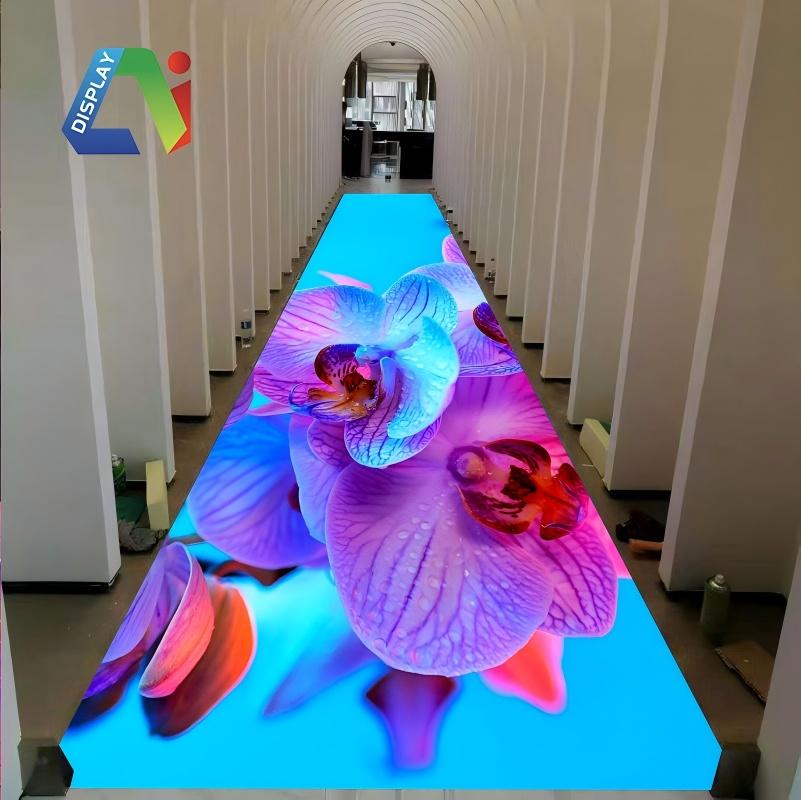
A flexible LED display is often used for curved walls, cylindrical screens, creative stage backgrounds, and other customized installations. Its modular design makes it easier to build different shapes and sizes. However, when a project requires additional panels or replacement modules, one important question must be answered: Can flexible LED panels from different production batches work together?
Even when two panels have the same pixel pitch and dimensions, their internal components may be different. Small variations in LED chips, driving ICs, PCB design, or calibration settings can affect the final display.
For this reason, checking flexible LED display cabinet compatibility before installation is essential. It helps prevent visible differences, connection problems, and unnecessary maintenance costs.
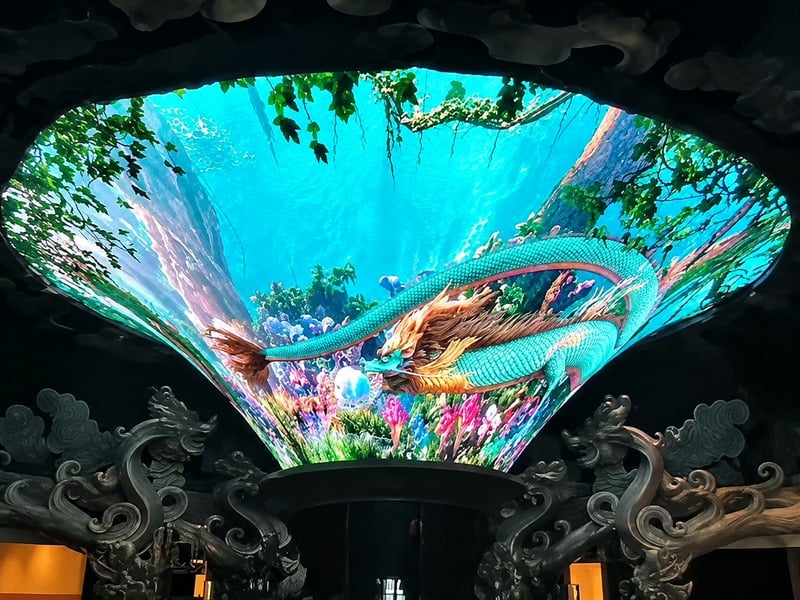
Flexible LED displays usually consist of multiple modules connected to a supporting structure and control system.
If panels from different batches are installed together without proper inspection, several problems may appear:
Brightness differences: Some modules may look brighter or darker than neighboring panels.
Color inconsistency: White images may show slightly different color temperatures.
Visible module boundaries: Different thicknesses or installation tolerances may create uneven surfaces.
Signal problems: Incompatible receiving cards or firmware may cause abnormal display behavior.
Installation difficulties: Different connectors or mounting positions may prevent proper assembly.
These problems are particularly noticeable on curved LED walls, where viewers can see several connected modules from different angles.
There are several reasons why panels that look similar may not be fully compatible.
LED chip differences
Different production batches may use LED chips with slightly different optical characteristics. Even small differences can affect brightness and color performance.
Driving IC and PCB changes
Manufacturers may update electronic components during production. Different driving ICs, circuit layouts, or scanning configurations can affect display performance.
Different calibration settings
Brightness and color calibration data may change between production batches. Without matching adjustments, neighboring modules may not display images consistently.
Structural and connector differences
Flexible modules may have different thicknesses, connector positions, magnetic arrangements, or cable layouts. These differences can affect installation accuracy.
Therefore, buyers should not judge compatibility based only on the product name or external dimensions.
Before combining different production batches, technicians should follow a systematic inspection process.
First, compare the information on the product labels and production records.
Important details include:
Pixel pitch and module dimensions
LED chip type and package
Driving IC model
Scanning method
PCB version
Input voltage and power requirements
Receiving card and control system configuration
If any important specification is different, ask the manufacturer to confirm compatibility before installation.
Place the modules on a flat working surface and compare their physical dimensions.
Check the thickness, edge alignment, connector positions, magnetic components, and mounting points.
For curved installations, also confirm that the modules support the same bending direction and minimum bending radius.
Never force a module into a structure if its bending requirements are different.
Check whether power and signal connectors match the original configuration.
Confirm cable pin assignments, connector types, polarity, and rated electrical requirements.
A connector that physically fits does not necessarily guarantee electrical compatibility.
After the basic inspection, technicians should assemble a small sample screen using modules from both batches.
This makes it easier to identify differences before installing the complete display.
Brightness and color test
Display full red, green, blue, and white images. Compare neighboring modules under the same brightness settings.
Grayscale test
Use 5%, 10%, 20%, and 50% gray images to identify low-gray differences, color shifts, and uneven brightness.
Refresh rate and camera test
Check the configured refresh rate and record the screen with a camera. This is particularly important for stage displays and commercial installations used in video production.
Signal stability test
Run the display continuously and check for flickering, abnormal pixels, signal interruptions, or unexpected shutdowns.
Curvature and assembly test
Install several modules on the actual supporting structure. Check whether the surface remains smooth and whether module connections stay secure.
If the sample screen performs well, technicians can proceed with full assembly after confirming the manufacturer's compatibility requirements.
A flexible LED display is more than a collection of LED modules. Several components work together to determine whether different batches can be combined.
|
Component |
What to check |
|---|---|
|
Flexible LED module |
Pixel pitch, dimensions, LED chips |
|
Driving IC |
Model and driving configuration |
|
Receiving card |
Hardware and firmware compatibility |
|
Power supply |
Output voltage and rated capacity |
|
Signal cable |
Connector type and pin assignment |
|
Magnetic structure |
Position and mounting accuracy |
|
Supporting frame |
Curvature and installation tolerance |
For example, flexible LED modules designed for curved walls and cylindrical displays may require different supporting arrangements depending on the required bending radius.
AILED provides customized LED display solutions for curved surfaces and creative structures. The module and supporting structure should be selected according to the actual project design.
Consider a shopping mall that wants to expand an existing curved LED display.
The original screen was installed several months ago. The customer now needs additional modules to extend the display area.
Although the new modules have the same pixel pitch and external dimensions, they come from a different production batch.
Before installation, the engineering team compares the module labels, driving ICs, connectors, and calibration information.
They then assemble a sample using old and new modules together.
After testing white balance, low-gray performance, brightness, and signal stability, the team identifies whether additional calibration or component adjustments are necessary.
This approach reduces the risk of installing incompatible modules and having to remove them later.
It also makes future replacement and maintenance easier.
Q1: Can flexible LED modules from different batches be used together?
Yes, but only after confirming that their hardware, electrical specifications, control configuration, and display performance are compatible.
Q2: Why do modules with the same pixel pitch show different colors?
Different LED chips, calibration settings, and driving components may cause color variations between production batches.
Q3: Can software calibration solve all compatibility problems?
No. Software calibration can improve brightness and color consistency, but it cannot fix incompatible electrical connections, different PCB designs, or unsuitable mechanical structures.
A successful flexible LED display project depends on more than module appearance. Hardware compatibility, structural accuracy, color consistency, and reliable control systems all contribute to long-term performance.
AILED Display provides customized LED display solutions for curved walls, cylindrical screens, creative stages, and other special-shaped applications.
From module selection and structural design to manufacturing and technical support, we work with customers to meet different project requirements.
For projects involving additional panels or replacement modules, confirming compatibility before installation can help reduce technical risks and avoid unnecessary costs.
Explore our Flexible LED Display Solutions to learn more about different LED display configurations and applications.
 Hot News
2026-11-26
2026-11-25
2026-11-24
Copyright © 2025 by Shenzhen Ai Display Technology Co., Ltd - Privacy policy
 EN