Pernahkah Anda mengambil foto atau video dari layar LED atau LCD dan memperhatikan garis-garis aneh, pita berkedip, atau pola seperti pelangi ? Sementara itu, layar tersebut tampak sempurna di mata Anda.
Ini bukan cacat. Sebaliknya, ini adalah artefak visual yang sudah dikenal luas, disebabkan oleh cara kamera dan layar saling berinteraksi.
Dalam panduan ini, Anda akan mempelajari mengapa Layar led mengapa layar terlihat aneh di kamera , apa penyebab efek seperti moiré dan kedipan, serta—yang paling penting— cara memperbaiki atau meminimalkannya dalam skenario pengambilan gambar di dunia nyata.
Secara umum, permasalahan ini dapat disederhanakan menjadi berikut:
Kamera Anda dan layar LED keduanya menggunakan kisi piksel dan sistem penjadwalan , tetapi keduanya tidak selaras secara sempurna.
Ketidaksesuaian tersebut menghasilkan artefak visual yang biasanya tidak terlihat oleh mata Anda.
Masalah paling umum disebut pola moiré .
Bayangkan meletakkan dua kasa jendela di atas satu sama lain lalu memutar salah satunya sedikit. Anda akan melihat pola aneh—meskipun masing-masing kasa memiliki pola yang sangat teratur.
Itulah tepatnya yang dilakukan kamera Anda terhadap tampilan LED.
Masalah utama kedua melibatkan laju penyegaran dibandingkan kecepatan rana .
Anda mungkin memperhatikan sesuatu yang menarik:
Saat Anda memperkecil tampilan:
Saat Anda memperbesar tampilan:
Dalam istilah teknis, hal ini berkaitan dengan aliasing dan kesalahan pensamplingan .
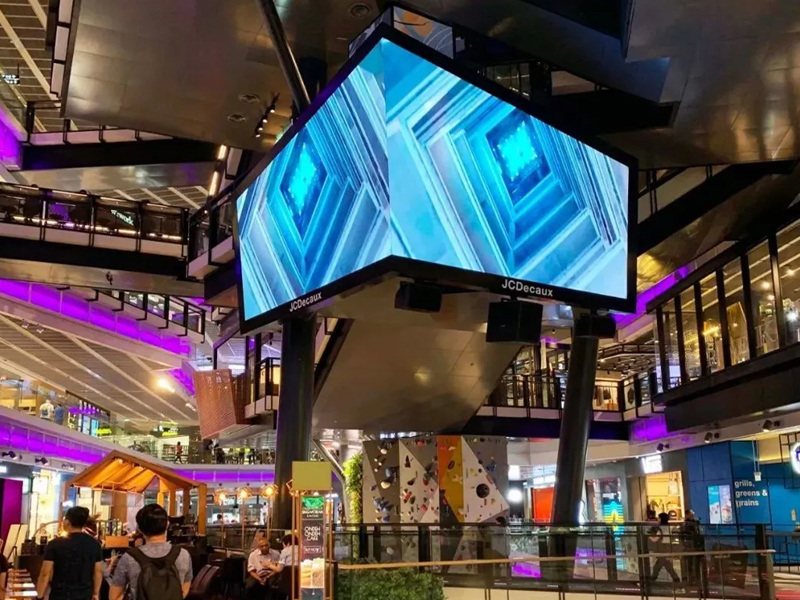
Baik layar LED maupun LCD dapat menampilkan artefak ini, tetapi:
Hal ini membuat gangguan lebih mudah tertangkap oleh kamera.
Sekarang mari kita bahas secara praktis. Anda tidak dapat menghilangkan efek-efek ini sepenuhnya, tetapi Anda dapat menguranginya secara signifikan.
Ini adalah perbaikan paling efektif.
Sesuaikan kecepatan rana kamera Anda dengan laju penyegaran layar.
Ini meminimalkan kedipan dan pita bergulung.
Gerakkan kamera Anda:
Hindari "jarak menengah" di mana moiré paling kuat.
Penyesuaian sudut yang kecil saja sudah membantu.
Hal ini mengganggu keselarasan kisi yang menyebabkan efek moiré.
Jika Anda mengatur layarnya:
Semakin halus pikselnya, semakin tidak terlihat gangguan interferensinya.
Sedikit kabur dapat membantu:
Berhati-hatilah—terlalu banyak kabur akan merusak kualitas gambar.
Jika Anda merekam video atau konten produksi:
Tidak—ini berfungsi dengan sempurna.
Bahkan kamera kelas atas pun mengalami hal ini.
LCD juga dapat menampilkannya—hanya saja kurang jelas terlihat.
Jika Anda merancang konten untuk tampilan LED yang akan difilmkan:
Merancang untuk kamera berbeda dengan merancang untuk penglihatan manusia.
Layar LED terlihat aneh di kamera karena ketidaksesuaian mendasar:
Dua sistem presisi—sensor kamera dan piksel layar—saling mengganggu bila tidak selaras dalam ruang maupun waktu.
Interaksi tersebut menghasilkan:
Kabar baiknya?
Dengan pengaturan kamera dan penempatan yang tepat, Anda dapat secara signifikan mengurangi artefak-artefak ini dan menangkap visual yang bersih serta profesional.
 Berita Terkini
2026-10-20
2026-10-19
2026-10-17
Copyright © 2025 by Shenzhen Ai Display Technology Co., Ltd - KEBIJAKAN PRIVASI
 EN
EN